
The Madhya Pradesh Public Service Commission MPPSC Assistant Town Planner Admit Card 2026 (Advertisement No. 02/2026). Candidates who applied online for the 39 Assistant Town Planner vacancies can now download their hall ticket from the official MPPSC candidate portal. The admit card was made available from 10 September 2026, ahead of the written examination scheduled for 20 September 2026. This article explains how to download the admit card, what login details are required, what to check on the hall ticket, and what to do in case of any error.
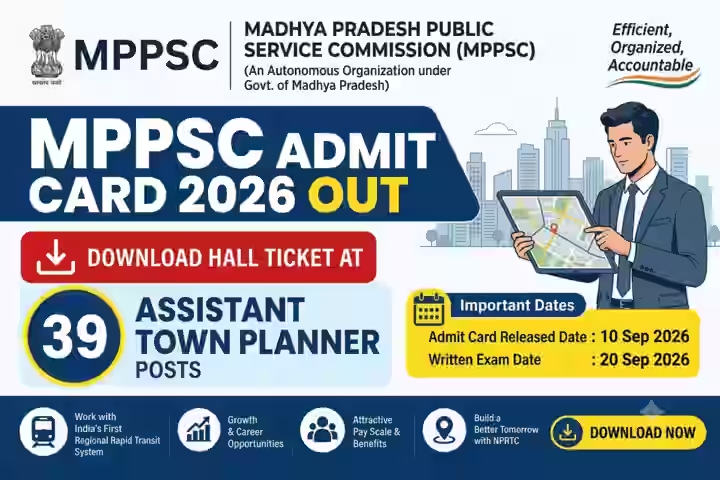
MPPSC Assistant Town Planner Admit Card 2026 Overview
| Particulars | Details |
|---|---|
| Organization | Madhya Pradesh Public Service Commission (MPPSC) |
| Post Name | Assistant Town Planner (ATP) |
| Advertisement Number | 02/2026 |
| Total Vacancies | 39 |
| Category | Admit Card |
| Admit Card Release Date | 10 September 2026 |
| Exam Date | 20 September 2026 |
| Mode of Exam | Written Examination |
| Official Website | Click Here |
Important Dates
| Event | Date |
| Online Application Start Date | 1 July 2026 |
| Online Application Last Date | 31 July 2026 |
| Last Date for Fee Payment | 31 July 2026 |
| Application Correction Window | 5 July – 2 August 2026 |
| Late Fee Payment (₹3,000) Window | 1 – 7 August 2026 |
| Late Fee Payment (₹25,000) Window | 8 – 26 August 2026 |
| Admit Card Release Date | 10 September 2026 |
| Written Exam Date | 20 September 2026 |
Also Read : UP Home Guard PET Admit Card 2026 Out — Download Hall Ticket at uppbpb.gov.in
How to Download MPPSC Assistant Town Planner Admit Card 2026
Candidates can follow these steps to download their hall ticket:
- Visit the official MPPSC website (mppsc.mp.gov.in) or the candidate login portal.
- Go to the “Candidate Login” or “Admit Card” section.
- Select the link for the MPPSC Assistant Town Planner Admit Card 2026.
- Enter your login details (Enrollment Number, Registration Number, or Date of Birth, as prompted).
- Submit the details to view your admit card on screen.
- Check every printed detail carefully before proceeding.
- Download the admit card and take a clear printout to carry to the exam centre.
It is advisable to keep at least two to three printouts of the admit card safe for future reference, since it may be needed again at later stages of the recruitment process.
Login Details Required
Based on the official process, candidates need one of the following combinations to log in and download the admit card:
- Enrollment Number
- Registration Number
- Date of Birth
Candidates should use the exact details submitted at the time of online application. If any login credential is not accepted, candidates should verify the information entered before attempting again, and contact MPPSC through the official channels if the issue persists.
Also read : AVNL Admit Card 2026 Out — Download Link for Junior Technician, Junior Manager and Other Posts
Details Mentioned on Admit Card
Once downloaded, the admit card will contain candidate-specific and exam-specific details. Candidates should check the following information carefully:
- Candidate Name
- Photograph
- Roll Number
- Exam Date
- Exam Centre
- Reporting Time (as specified on the individual admit card)
The exact exam centre address and reporting time will vary for each candidate and will be printed on the individual hall ticket. MPPSC has not released a separate, publicly shared list of exam centre-wise reporting times, so candidates must rely on the details printed on their own admit card.
Documents to Carry
As per the official instructions accompanying the admit card, candidates must carry:
- A printed copy of the MPPSC Assistant Town Planner Admit Card 2026
- A valid original photo ID proof
Entry to the exam center may be denied without these documents. No other specific document requirement has been mentioned in the official communication reviewed for this article; if MPPSC issues any additional requirement, candidates should follow the instructions printed on their own admit card.
Exam Day Instructions
Candidates appearing for the MPPSC Assistant Town Planner written exam should keep the following points in mind:
- Reach the exam center well before the reporting time mentioned on the admit card.
- Carry the admit card along with a valid original photo ID; entry may be denied without these.
- Check the exam center address and reporting time in advance to plan your travel.
- Do not carry banned items such as mobile phones, smartwatches, calculators, or any other electronic devices into the exam hall unless specifically permitted.
- Verify all personal details on the admit card — name, photograph, roll number, and exam centre — as soon as it is downloaded.
Also Read : RPSC AE Mains Admit Card 2026 | Download Hall Ticket Online
What to Do If There Is an Error
If any discrepancy is found in the name, photograph, roll number, exam centre, or any other detail printed on the admit card, candidates are advised to report it to MPPSC immediately through the official contact channels available on mppsc.mp.gov.in. MPPSC has not published a separate dedicated helpline number or email ID for admit card corrections in the information reviewed for this article; candidates should check the official notification and website for the correction process applicable to this recruitment, and report errors well ahead of the exam date to allow time for resolution.
Important Links
| Link | Purpose |
|---|---|
| MPPSC Assistant Town Planner Admit Card 2026 | Download Admit Card |
| mppsc.mp.gov.in | Official Website |
FAQs
Q1. When was the MPPSC Assistant Town Planner Admit Card 2026 released?
MPPSC released the Assistant Town Planner Admit Card 2026 on 10 September 2026, ahead of the written exam scheduled on 20 September 2026.
Q2. What is the exam date for MPPSC Assistant Town Planner 2026?
The written examination for MPPSC Assistant Town Planner Recruitment 2026 is scheduled for 20 September 2026.
Q3. How can I download the MPPSC Assistant Town Planner Admit Card 2026?
Visit the official MPPSC candidate login portal, go to the Admit Card section, and log in using your Enrollment Number, Registration Number, or Date of Birth to view and download your admit card.
Q4. What details are required to download the admit card?
Candidates need their Enrollment Number, Registration Number, or Date of Birth, as used during the online application process.
Q5. What documents must I carry to the exam center?
Candidates must carry a printout of the admit card and a valid original photo ID proof. Entry may be denied without these.
Q6. What should I do if there is an error on my admit card?
Any discrepancy in personal or exam details should be reported to MPPSC immediately through the official website, mppsc.mp.gov.in.
Q7. How many vacancies is this recruitment for?
The MPPSC Assistant Town Planner Recruitment 2026 (Advt. No. 02/2026) covers 39 vacancies.
Disclaimer
This article is based on information available from the official MPPSC notification and website at the time of writing. Candidates are advised to cross-check all details, especially exam centre, reporting time, and any last-minute updates, directly on their downloaded admit card and on the official MPPSC website (mppsc.mp.gov.in) before the exam.