
Online PAN Card Registration made simple! Follow our step-by-step guide to apply for your PAN card online, complete the registration process quickly, and avoid common mistakes. Get your Permanent Account Number hassle-free with easy instructions and secure application tips.
A Permanent Account Number (PAN) is one of the most important identity documents issued by the Income Tax Department of India. Whether you want to open a bank account, file income tax returns, invest in mutual funds, or conduct major financial transactions, a PAN Card is mandatory. This guide will help you understand the Online PAN Card Registration process, required documents, fees, benefits, and how to track your application online.
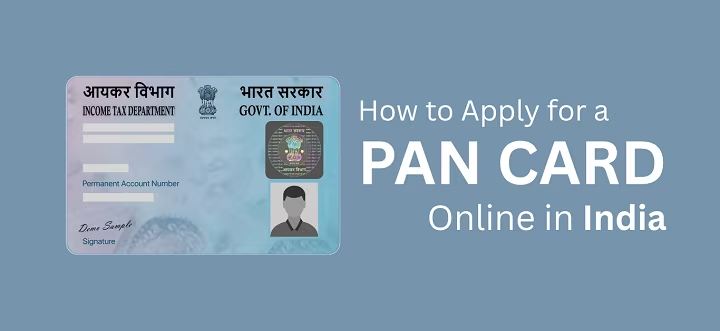
What is a PAN Card?
A PAN Card is a 10-character alphanumeric code issued by the Income Tax Department. It helps the government track financial transactions and prevent tax evasion. PAN is required for individuals, companies, NRIs, and foreign citizens involved in financial activities in India.
Types of PAN Cards
- PAN for Indian Citizens (Form 49A)
- PAN for Foreign Citizens (Form 49AA)
- PAN for Business/Companies
- Reprint or Correction in PAN Card
How to Apply for Online PAN Card Registration (Step-by-Step Guide)
You can apply for a PAN Card online through:
- NSDL (Protean)
- UTIITSL
Below is the step-by-step process:
Step 1: Visit the Official Website
Go to the official PAN application portals:
- NSDL (Protean) – For new PAN and corrections
- UTIITSL – For PAN services
Step 2: Choose the PAN Application Type
Select:
- New PAN – Form 49A (Indian citizens)
- New PAN – Form 49AA (Foreign citizens)
Step 3: Fill in Personal Details
Enter the following information:
- Full Name
- Date of Birth
- Gender
- Aadhaar Number
- Address
- Mobile Number & Email ID
Ensure all details match your Aadhaar card for smooth verification.
Step 4: Upload Required Documents
Documents Required for Online PAN Card Registration
✔ Proof of Identity (POI)
✔ Proof of Address (POA)
✔ Proof of Date of Birth (DOB)
Accepted documents include:
- Aadhaar Card
- Voter ID
- Passport
- Driving License
- Birth Certificate
- Electricity/Water Bill
Step 5: Pay the PAN Application Fees
Typical fee:
- ₹93 + GST for Indian communication address
- ₹864 + GST for foreign communication address
Step 6: Submit and Complete Aadhaar e-KYC
Your Aadhaar-linked mobile number will receive an OTP for verification.
Step 7: Download Acknowledgement Slip
After successful submission, you will get a 15-digit acknowledgement number to track your PAN status.
How to Track PAN Card Status?
You can check PAN application status using:
- NSDL Track PAN Status
- UTIITSL PAN Status Portal
Enter your Acknowledgement Number, Coupon Number, or Name + DOB to track real-time progress.
Check Also – PAN Card Correction: How to Update or Modify PAN Details Online (2026 Guide)
Benefits of Having a PAN Card
A PAN Card is essential for:
✔ Filing Income Tax Returns
✔ Opening a Bank Account
✔ Applying for Loans & Credit Cards
✔ Buying or Selling Property
✔ Investing in Mutual Funds or Shares
✔ Getting Higher Withdrawal Limits
✔ Identity Proof for Various Services
How Long Does PAN Card Take?
- e-PAN is usually issued within 48 hours.
- Physical PAN Card is delivered within 7–14 working days.
Important Tips for PAN Applicants
- Ensure your Aadhaar details match your PAN application.
- Do not apply for multiple PAN Cards (it’s illegal).
- Use a valid mobile number and email ID.
- Keep your acknowledgement number safe.
A Permanent Account Number (PAN) card is a crucial identity document for every taxpayer in India. Issued by the Income Tax Department, it is required for financial transactions such as opening a bank account, filing income tax returns, or investing in securities. With digital services expanding, applying for a PAN card online has become simple, fast, and convenient.
Applying for a PAN Card is now easier, faster, and fully online. Anyone can complete Online PAN Card Registration in just a few minutes using Aadhaar-based e-KYC. Whether for tax filing, banking, investments, or identity verification, a PAN Card is essential for every citizen and business in India.
Frequently Asked Questions (FAQs) – Online PAN Card Registration
Q1. What is a PAN card and why is it important?
A PAN (Permanent Account Number) card is a 10-digit alphanumeric ID issued by the Income Tax Department of India. It is essential for filing income tax returns, opening bank accounts, and conducting high-value financial transactions in India.
Q2. Who can apply for a PAN card online?
Any Indian citizen, including individuals, minors, students, and even foreign citizens or entities doing business in India, can apply for a PAN card online.
Q3. What documents are required for online PAN card registration?
Applicants typically need proof of identity (Aadhaar card, voter ID, passport), proof of address (utility bill, bank statement), and proof of date of birth (birth certificate, 10th mark sheet).
Q4. How can I apply for a PAN card online?
You can apply through official portals by filling out the application form, uploading required documents, and paying the applicable fee. After submission, you will receive an acknowledgment number for tracking.
Q5. What is the fee for PAN card application?
The fee varies depending on whether you want a physical PAN card or an e-PAN. It is usually affordable and can be paid online via debit card, credit card, or net banking.
Q6. How long does it take to get a PAN card?
After successful submission and verification, the PAN card is usually issued within 10–15 working days. An e-PAN can be generated much faster.
Q7. Can I apply for a PAN card without Aadhaar?
Yes, but Aadhaar is the most common and easiest method for verification. Without Aadhaar, you may need to submit additional documents for identity and address proof.
Q8. How can I check my PAN card application status?
You can track your application using the acknowledgment number on the official website where you applied.
Q9. Is it mandatory to link PAN with Aadhaar?
Yes, as per government regulations, linking PAN with Aadhaar is mandatory for filing income tax returns and to keep your PAN active.
Q10. Can I correct details in my PAN card after applying?
Yes, you can apply for corrections or updates in your PAN details online by submitting a correction form with valid supporting documents.